
A Pocket-Sized Printer That Doubles as a Tattoo Machine (Sort Of)
There's a specific kind of resigned domesticity that comes with owning a full-size printer. It lives on a shelf. It connects only when it feels like it. Every six months you discover the black ink has dried out, even though you printed precisely four documents in that time. And when you actually need it, travelling or working from somewhere that isn't your flat, it's obviously not there.
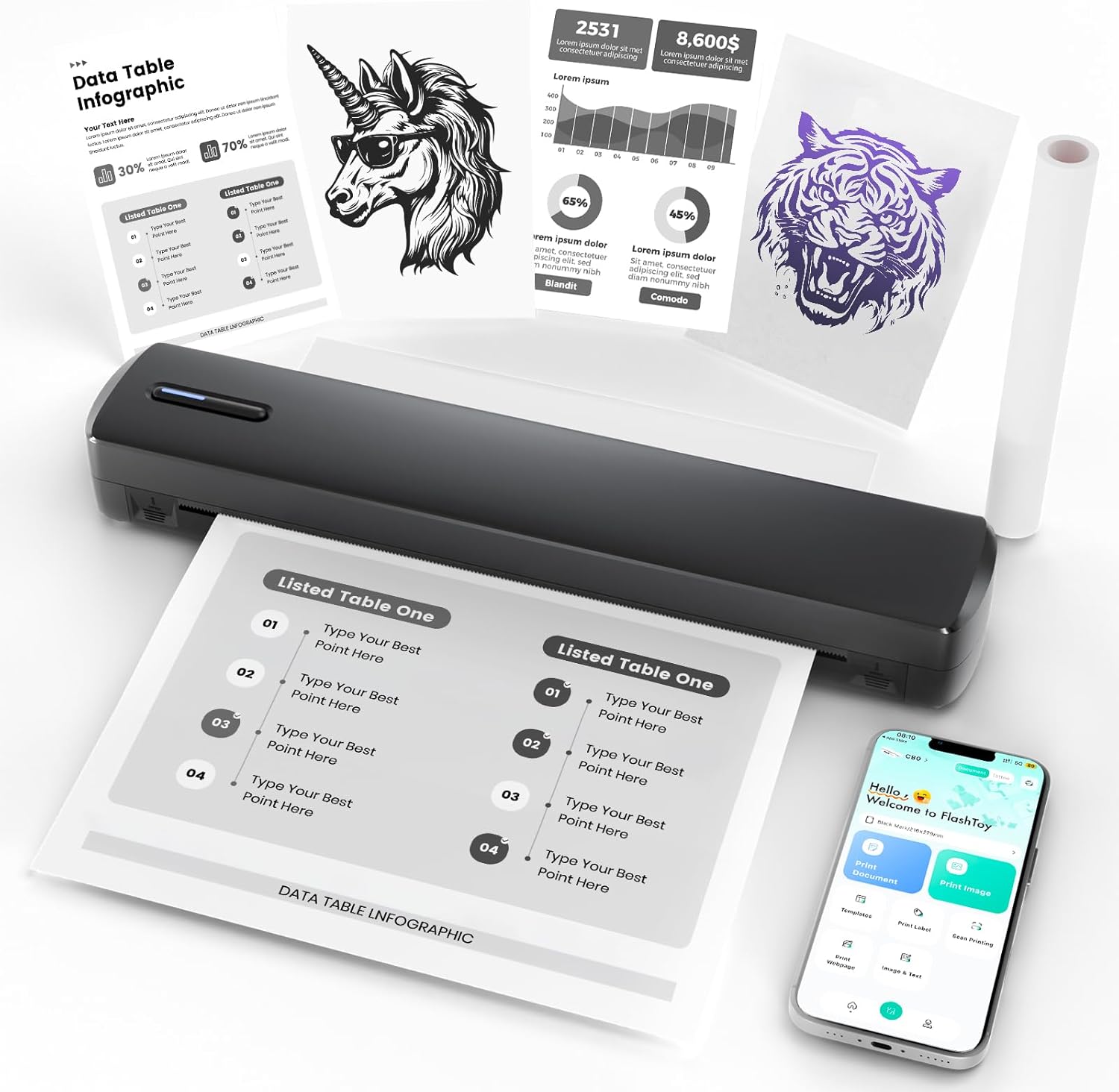
The NULLTONEX Portable Thermal Printer is a different kind of object entirely. It weighs just over a pound. It fits in a bag without drama. And it prints without a drop of ink, which is either a parlour trick or a genuine relief depending on how tired you are of buying cartridges.
It also prints tattoo stencils, which is either very relevant to you or completely beside the point.
Who This Actually Makes Sense For
This printer is genuinely useful for two distinct groups of people, and the overlap between them is probably smaller than the product listing implies.
- 🖨️ Consultants, freelancers, or anyone who travels with a laptop and occasionally needs a physical document. Invoices, reference sheets, boarding confirmations printed off the email rather than hunted down on a phone screen.
- ✈️ People who move between workspaces and find desktop printers impossible to justify spatially or financially.
- 🎨 Amateur or hobbyist tattoo artists who want stencil transfers without the price tag of a dedicated machine.
- 🎁 A practical and slightly unusual gift for someone who's recently gone freelance or is perpetually complaining about printer costs.
If you're a working tattoo artist printing stencils all day, this probably isn't for you. If you need to print full-colour photos with any regularity, thermal isn't the right technology. But for the specific in-between use cases, it delivers more than the price suggests.
What You Get
Thermal Printing, No Ink Required
Thermal printing works by heating the paper rather than applying ink. No cartridges, no replacements, no shelf of backup colours you bought for a printing project and never finished. The trade-off is that thermal paper is the only paper that works, and the prints are black only. At 203 DPI the quality is solid for text and clean line work, less impressive for anything with fine gradients or very small text.
Very, Very Small
11.61 inches long, 2.17 inches wide, 1.59 inches deep. Just over a pound. For reference, that's lighter than most hardbacks. It slips into a laptop bag without requiring any rearrangement. The battery manages around 400 pages per charge, with about a month of standby, which is generous for something this size. Charging is via USB-C.
Bluetooth and USB
Mobile users connect via Bluetooth through the SharpFox app (Android and iOS). Desktop users connect via USB on both Windows and macOS. A roll of thermal paper is included in the box, along with the power cable, a manual, and a USB drive with drivers. You can print immediately, which is the right approach for any device claiming to be simple.
The Tattoo Stencil Bit
It transfers a digital design onto tattoo transfer paper in about 25 seconds. The resolution handles clean lines well. Very fine lettering and intricate detail work is where you'll start to notice limitations, with some bleed and loss of definition at the edges. For beginner tattooists or those working from home on their own designs, reviewers consistently find it more than adequate. For professional studio use with complex stencils, it's a compromise.
Worth Knowing Before You Buy
The SharpFox app is where most of the frustration lives. Several reviewers note that the initial setup is not as straightforward as advertised, and Bluetooth connectivity can drop, particularly when printing from a laptop. Once you've worked out how it behaves, most people settle into it, but be prepared for a first session that tests your patience. Printing from a phone, rather than a laptop, tends to produce fewer headaches.
Fine detail doesn't come through cleanly. Small lettering in particular, whether you're printing a document or a stencil, loses some definition. And as noted: thermal paper only, black only. If you go in expecting that, there are no surprises.
💡 Yen's Note
The SharpFox app is the weak point in this setup, but the company has a track record of following up directly with customers who leave critical reviews. If you hit a wall during setup, the support response rate seems genuinely better than average for a product at this price.
| Works Well | Worth Knowing |
|---|---|
| Genuinely portable, light enough to forget about | App setup can be frustrating initially |
| No ink, no cartridges, no ongoing costs | Bluetooth drops intermittently for some users |
| 400 pages per charge is generous for the size | Fine detail and small text loses definition |
| Works on Android, iOS, Windows, macOS | Thermal paper only, no colour |
| Solid stencil quality for beginner tattoo work | Not suited to professional-volume stencil printing |
| Comes ready to print out of the box | USB drive required for desktop driver install |
Worth It?
At $50 on Prime, yes, with appropriate expectations. This is not a printer that replaces a desktop setup or handles professional stencil work at volume. It's a printer that fits in a bag, costs nothing to run after the initial purchase, and does what it promises for the types of printing most people actually need while travelling or working flexibly. The app is imperfect and you'll probably have a mildly irritating first thirty minutes with it. That seems like a fair trade for something that weighs a pound and doesn't require ink.
As an Amazon Associate I earn from qualifying purchases. This comes at no extra cost to you.